> ## Documentation Index
> Fetch the complete documentation index at: https://flextable-docs-oracle-client-choice.mintlify.site/llms.txt
> Use this file to discover all available pages before exploring further.
# Redis
> Browse the Redis keyspace, work with every value type, watch Pub/Sub live, and run commands.
Redis browsing is key-oriented rather than table-oriented.
 ## Keyspace browser
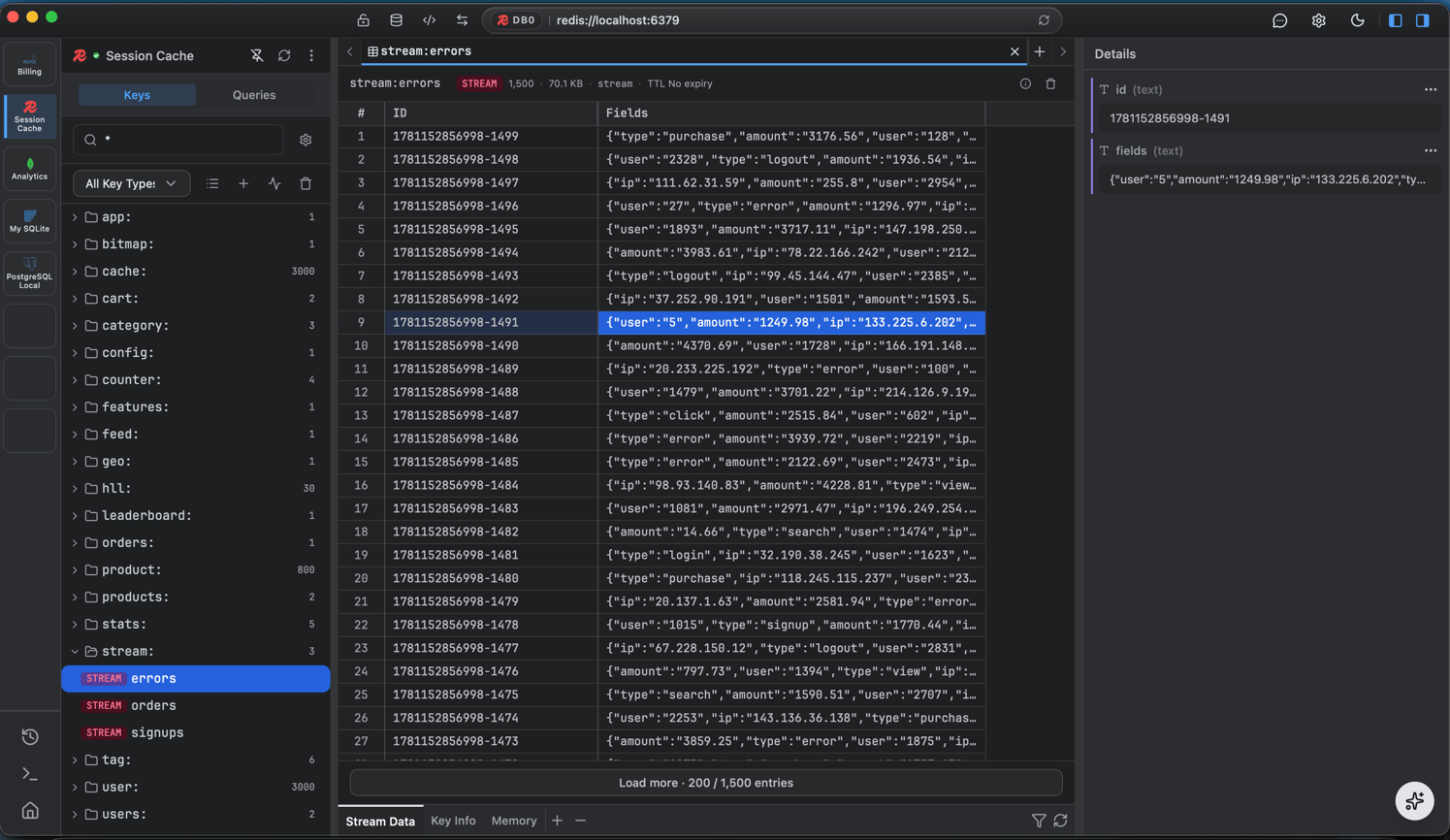
* **Scan and filter keys** by pattern, with **TTLs** shown right in the list.
* **Value panels** - a tailored view per type: string, hash, list, set, sorted-set, and stream.
* **Filter** within a key's entries.
## Pub/Sub, live
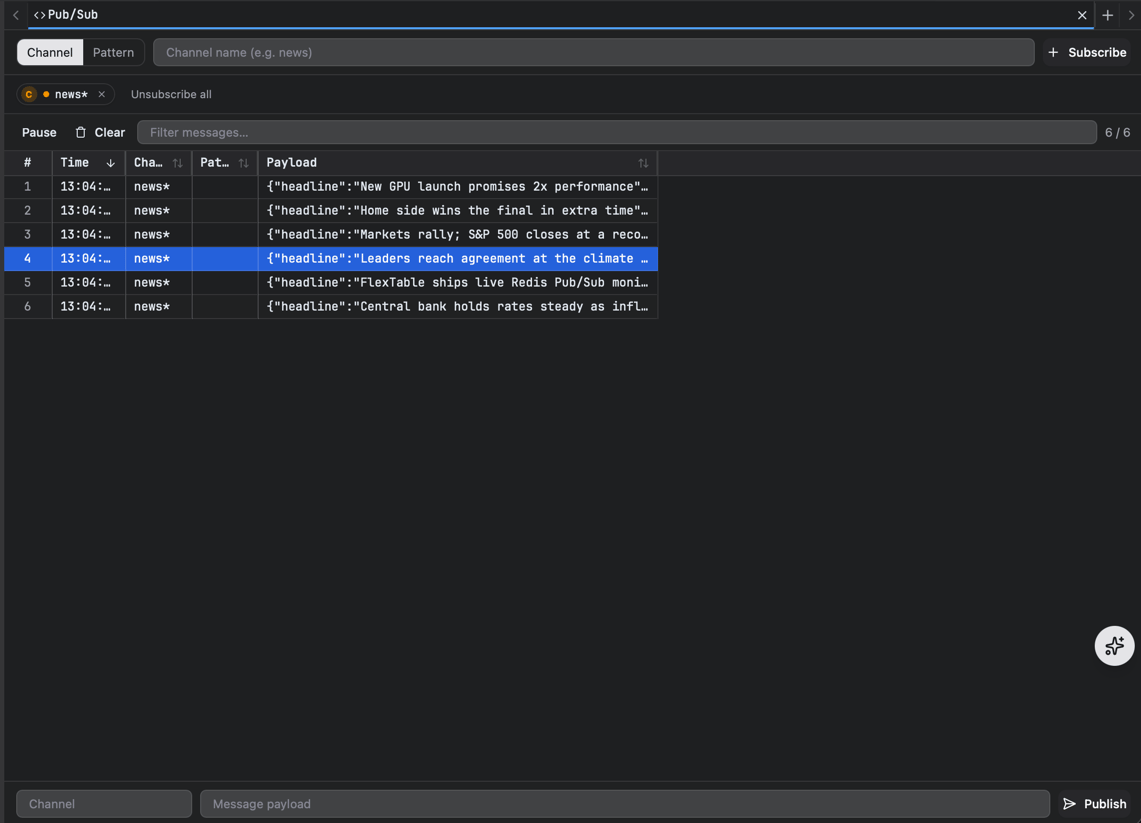
Subscribe to channels or patterns and watch messages **stream in live**, a virtualized high-volume feed that stays smooth under load, with safe subscribe/cancel and message batching. You can publish to a channel right from the app.
## Keyspace browser
* **Scan and filter keys** by pattern, with **TTLs** shown right in the list.
* **Value panels** - a tailored view per type: string, hash, list, set, sorted-set, and stream.
* **Filter** within a key's entries.
## Pub/Sub, live
Subscribe to channels or patterns and watch messages **stream in live**, a virtualized high-volume feed that stays smooth under load, with safe subscribe/cancel and message batching. You can publish to a channel right from the app.
 ## Run Redis commands
Run your own commands in the [query editor](/query-editor) alongside the keyspace and value panels.
## Run Redis commands
Run your own commands in the [query editor](/query-editor) alongside the keyspace and value panels.